guide
Cracked iPhone 14 Back Glass and Shutdowns: Are They Connected?
4 min read
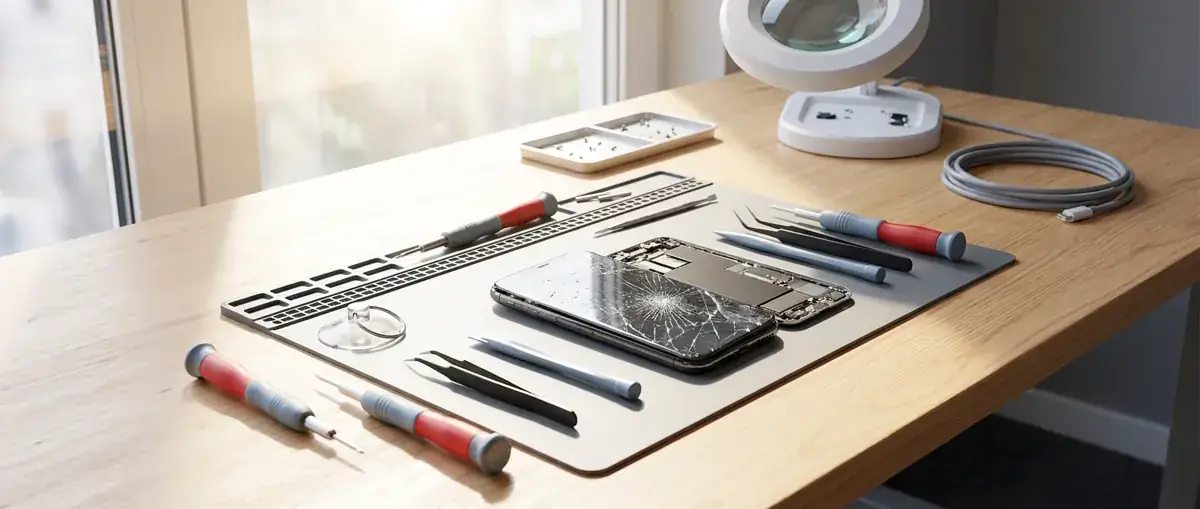
A cracked iPhone 14 back and unexpected shutdowns may follow the same accident, but battery health alone cannot identify the fault. Here is what to note before arranging an assessment.
Can broken back glass explain an iPhone 14 switching off?
Not on its own. Cracked back glass on an iPhone 14 shows external damage, but it does not tell you whether the battery or another internal component was affected. If shutdowns started after a drop, that connection is worth investigating—not treating as a diagnosis.
Replacing the back glass addresses the damaged rear surface. It should not be presented as a guaranteed cure for unexpected shutdowns. Equally, a reduced Battery Health reading does not automatically mean you need a battery replacement alongside the glass repair.
For an iPhone 14 with both symptoms, the useful first step is to describe the accident and shutdown pattern together. Check the current iPhone 14 repair prices, then ask what assessment is appropriate before agreeing to work.
What Battery Health can—and cannot—tell you
Capacity is a clue, not a damage test
Under Settings → Battery → Battery Health & Charging, Maximum Capacity estimates how much charge the battery can hold compared with when it was new. It is not a physical inspection and cannot rule out damage caused by an impact.
A battery with reduced capacity may give shorter use between charges without causing sudden shutdowns. Conversely, a reassuring percentage does not prove that the battery, its connections or the phone’s power system escaped damage.
Also note any battery service or peak-performance message. These can help guide an assessment, but they do not establish whether the cracked rear glass and shutdowns have the same cause.
The sequence matters more than one percentage
A phone that was already switching off before its back glass broke presents a different picture from one that first shut down immediately after a fall. Battery wear, software problems and impact-related faults can produce overlapping symptoms.
If assessment points to battery wear as a separate issue, iPhone battery replacement may be relevant. It should not be added simply because the back glass is damaged.
Questions that help narrow down the problem
You do not need to reproduce the fault deliberately. Notes from ordinary use are more useful than repeatedly stressing a damaged phone.
- Which happened first? Did shutdowns begin before the glass cracked, immediately afterwards, or several days later?
- What does “switching off” look like? Does the screen stay black until you restart it, or does the Apple logo appear and the phone restart itself?
- What charge level was showing? Does it happen near empty, at varying levels, or with substantial charge remaining?
- Was it charging? Mention whether the event happened unplugged, during cable charging or during wireless charging. Do not keep testing a suspect charger or damaged phone.
- What else changed after the impact? Note unusual warmth, a newly raised rear panel, or a visible gap around the enclosure. Do not press the glass to investigate.
- Was there moisture exposure afterwards? Cracked glass is a reason to be particularly cautious around liquids; an apparently working phone is not proof that moisture stayed outside.
These answers help distinguish observations from assumptions. They cannot replace inspecting the device.
Your next-step preparation checklist
Safety comes before backing up
If the iPhone becomes unusually hot, appears swollen, smells unusual or has a lifting rear panel, stop using and charging it. Seek handling advice before bringing it in. Do not open it, pry away glass, apply heat or attempt battery work yourself.
If it remains safe to use:
- Back up your files using iCloud or a computer, then check when the backup completed. Repair cannot promise preservation of every file.
- Record the symptoms and any Battery Health messages without prolonged testing.
- Photograph the damage with another device if possible, without handling loose shards.
- Keep it dry and avoid pressure on the cracked back. Do not assume its previous water resistance remains intact.
- Prepare for service privately. Ask which settings need changing; do not send your Apple Account password or other account passwords.
Arrange an assessment before travelling
Contact iBrokeIt.shop through the Fuengirola repair enquiry page and mention both the broken iPhone 14 back glass and the shutdowns. We repair devices from a home workshop in Fuengirola, and all visits require confirmation. A booking request is not confirmed until we reply; we cannot always be available, so wait before travelling.
Every fitted repair part has a one-year warranty beginning on the repair date. New accidental damage is excluded.
If you would like advice, send a repair enquiry with your observations. We can discuss the appropriate next step without assuming that glass replacement alone will solve the shutdowns.
Discuss your repair before travelling
Ask about iPhone battery replacement. See Fuengirola repair enquiries at our Fuengirola workshop for local information. You can also iPhone 14 repair prices.
We work from a home workshop in Fuengirola, not a walk-in shop. Request an appointment and wait for our reply before travelling: a request is not confirmed until we get back to you, and we cannot always be available. iPad and MacBook repairs are quote-only. Every fitted repair part has a one-year warranty beginning on the repair date; new accidental damage is excluded. Liquid-damage cleaning is not a guaranteed repair or recovery.
For your next step, see iPhone back glass repair.
Need this repair? Check your price
iPhone 14 · Back glass laser repair · €149