guide
A Guide to iPhone Camera Problems and Fixes
6 min read
That perfect beach sunset, property viewing, work document or boarding pass is usually needed at the exact moment an iPhone camera decides to show a.
That perfect beach sunset, property viewing, work document or boarding pass is usually needed at the exact moment an iPhone camera decides to show a black screen. This guide to iPhone camera problems separates the quick fixes worth trying from the faults that need proper diagnostics - so you do not waste a day restarting your phone while an important camera module failure gets worse.
Start with the simple checks
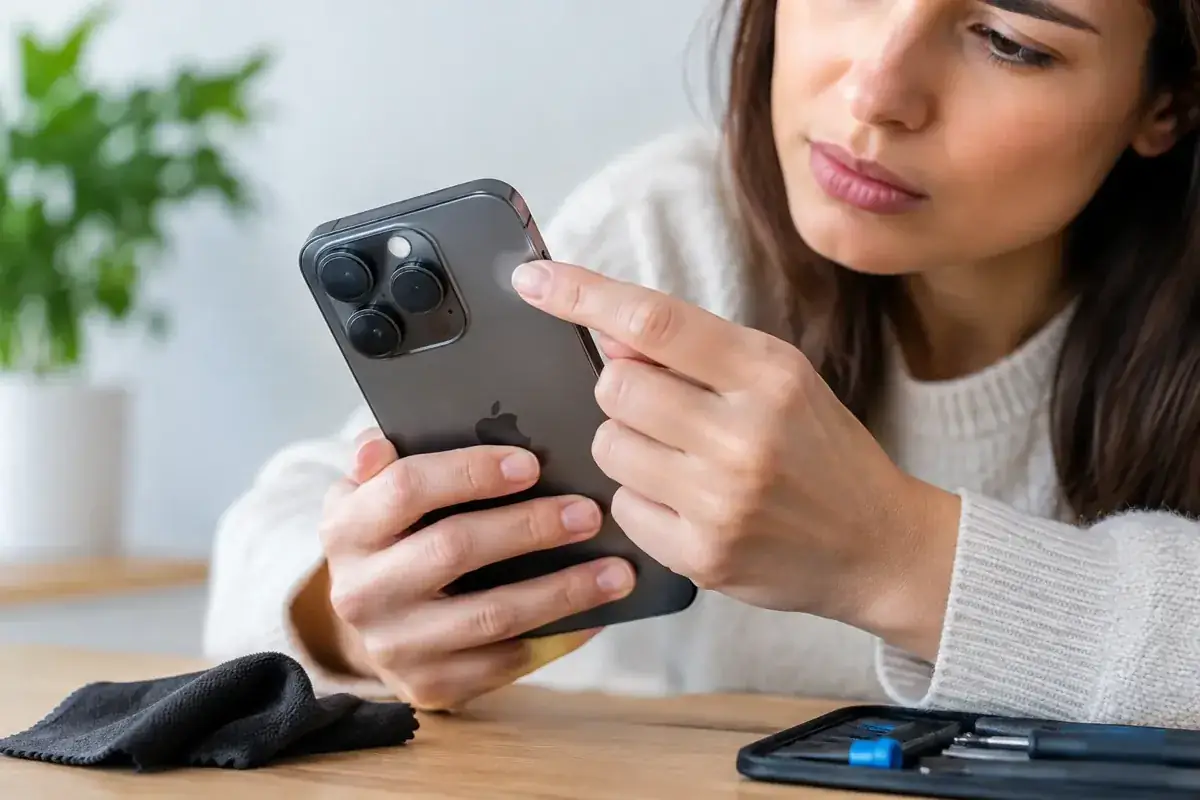
Before assuming the camera is broken, remove the case and any lens protector. Thick cases can press against the camera area, while cheap lens covers can create haze, reflections, soft focus and strange flares in bright Costa del Sol sunshine. Wipe each lens gently with a clean, dry microfibre cloth. Avoid sprays, kitchen roll and anything abrasive that can mark the lens coating.
Then open the built-in Camera app and switch between the rear and front cameras. Test Photo, Video and Portrait modes. If one camera works while another stays black, shakes or refuses to focus, that is useful evidence. Modern iPhones contain separate camera modules, so a working front camera does not prove the rear system is healthy.
Close every app that may be using the camera, including WhatsApp, Instagram, FaceTime and banking apps. Restart the iPhone, then check for an iOS update in Settings. A software glitch can occasionally stop the camera app loading correctly, particularly after an update or when storage is almost full.
Do not overlook storage. If the iPhone has very little free space, it may struggle to save photos or record video. Freeing up space can solve recording failures, but it will not fix a camera that is visibly blurry, rattling or physically damaged.
Guide to iPhone camera problems: match the symptom
The fastest route to the right repair is identifying exactly what the phone is doing. “My camera does not work” can mean several completely different faults.
A black screen in the Camera app
A black preview can be caused by a frozen app, an iOS fault or a failed camera module. First, force-close the Camera app and restart the phone. If the rear camera remains black but the front camera works, or the issue appears in every app that uses the camera, the rear module or its connection may have failed.
A recent drop matters here, even if the rear glass is intact. The camera sits beneath that glass, and impact can damage internal components without leaving an obvious external mark. Repeated restarts will not repair a damaged module.
Blurry photos that never sharpen
A smudged lens is common, but a clean lens with permanently soft images is not normal. Tap the subject on screen and give the camera a second to focus. If it hunts continuously, clicks, or stays blurred at every distance, autofocus may be failing.
This is particularly noticeable on phones with telephoto lenses. You may find standard photos look acceptable while zoomed images are unusable. That does not mean you need a new iPhone. It usually means the affected camera module needs testing and, where necessary, replacement.
A vibrating, shaking or rattling camera
If the viewfinder shakes violently or video makes a buzzing sound, stop forcing the camera to work. Optical image stabilisation uses moving parts to keep photos sharp. After a knock, those parts can become damaged and cause the camera to vibrate instead of stabilise.
Motorbike and scooter riders can also see this fault after prolonged handlebar vibration, especially if the phone has been mounted directly to the bars. It depends on the mount, the road surface and the model of iPhone, but the risk is real. A damaged stabilisation mechanism is a hardware job, not a settings issue.
The flash is greyed out or will not fire
Test the torch from Control Centre. If neither the torch nor flash works, the issue may be linked to the camera, flash assembly, battery temperature or a software conflict. Let an overheated phone cool naturally before testing again. If the torch works but camera flash does not, the Camera app or rear camera module may be the more likely cause.
Never try to prise open an iPhone to reach the flash. Modern iPhones are tightly sealed, and an incorrect repair can create additional faults with wireless charging, water resistance or the camera system itself.
Front camera, selfies or Face ID issues
The front camera system does more than take selfies. On many models, it works alongside the TrueDepth components used for Face ID. A black selfie camera, poor front-camera quality or Face ID that suddenly stops after a drop deserves careful professional assessment.
This is not an area for a cheap part or a rushed repair. The trade-off with low-cost, unverified repairs is clear: you might restore a basic image but lose important functionality. Proper diagnostics should establish whether the fault is software, a front camera issue, screen damage affecting the assembly, or a wider TrueDepth problem.
When an app is the problem, not the camera
If the Camera app works normally but WhatsApp, Instagram or another app cannot access it, check permissions. Go to Settings, find the app, and make sure Camera access is enabled. Also check Screen Time restrictions if the phone belongs to a child or is managed for work.
If permission is enabled but the app still shows a black screen, update or reinstall that app after making sure chats, drafts and other important information are safely backed up where applicable. This is one of the few cases where a repair is unlikely to be the first answer.
Camera trouble after an iOS update can also be temporary. Restarting, updating individual apps and resetting all settings may help. Resetting all settings does not erase photos or apps, but it does reset saved Wi-Fi networks, keyboard preferences and similar settings. It is worth doing only after the basic checks have failed.
Treat water damage as urgent
A phone that develops camera fog, a blurred lens, flickering flash or a black camera after rain, a pool, a spilt drink or humid beach conditions needs quick action. Water resistance is not permanent water-proofing. Seals weaken over time and can be compromised by age, impacts or a previous repair.
Switch the iPhone off if possible, disconnect charging cables and do not use a hairdryer. Heat can push moisture deeper into the device and damage sensitive parts. Skip the rice too. Rice does not remove corrosion from inside the phone and loose dust can make matters worse.
The key issue is time. Moisture may initially affect only the camera, then corrode connectors and reach the charging system, display or logic board. Early inspection gives the best chance of limiting the damage and preserving data.
Know when to stop troubleshooting
There is a point where more home fixes simply delay the solution. Book a diagnostic when the camera remains black after a restart, the image shakes or rattles, focus never locks, the lens is cracked, moisture is visible, or the fault began immediately after a drop. The same applies when Face ID fails alongside front-camera problems.
Take a few notes before handing the phone over: which camera fails, which apps are affected, whether the issue started after impact or water exposure, and whether it happens in every shooting mode. This helps a technician diagnose the correct component rather than guessing.
At iBrokeIt, contact the Fuengirola home workshop for an assessment and wait for appointment confirmation before travelling. Repair suitability, parts and timing are confirmed individually.
A camera fault does not have to turn into a lost holiday album, missed client document or expensive new-phone purchase. Protect your data, avoid improvised repairs, and get the phone checked while the problem is still limited to one fixable component.
Ask about a repair at the Fuengirola workshop
Discuss a guide to iphone camera problems and fixes, see repair enquiries from Fuengirola, or contact iBrokeIt.
We work from home in Fuengirola, not a walk-in shop. Request an appointment and wait for our reply before travelling. Your appointment is not confirmed until we get back to you, and we cannot always be available. iPad and MacBook repairs are quote-only. Every fitted repair part has a one-year warranty beginning on the repair date; new accidental damage is excluded. iPhone liquid-damage cleaning starts at a €99 non-refundable deposit for cleaning only; parts and further work are quoted separately. Repair or data recovery is not guaranteed.
For your next step, see check your exact iPhone repair price.
Need this repair? Check your price
iBrokeIt.shop · Fuengirola