guide
Does Water Damage Affect Face ID? What to Do
7 min read
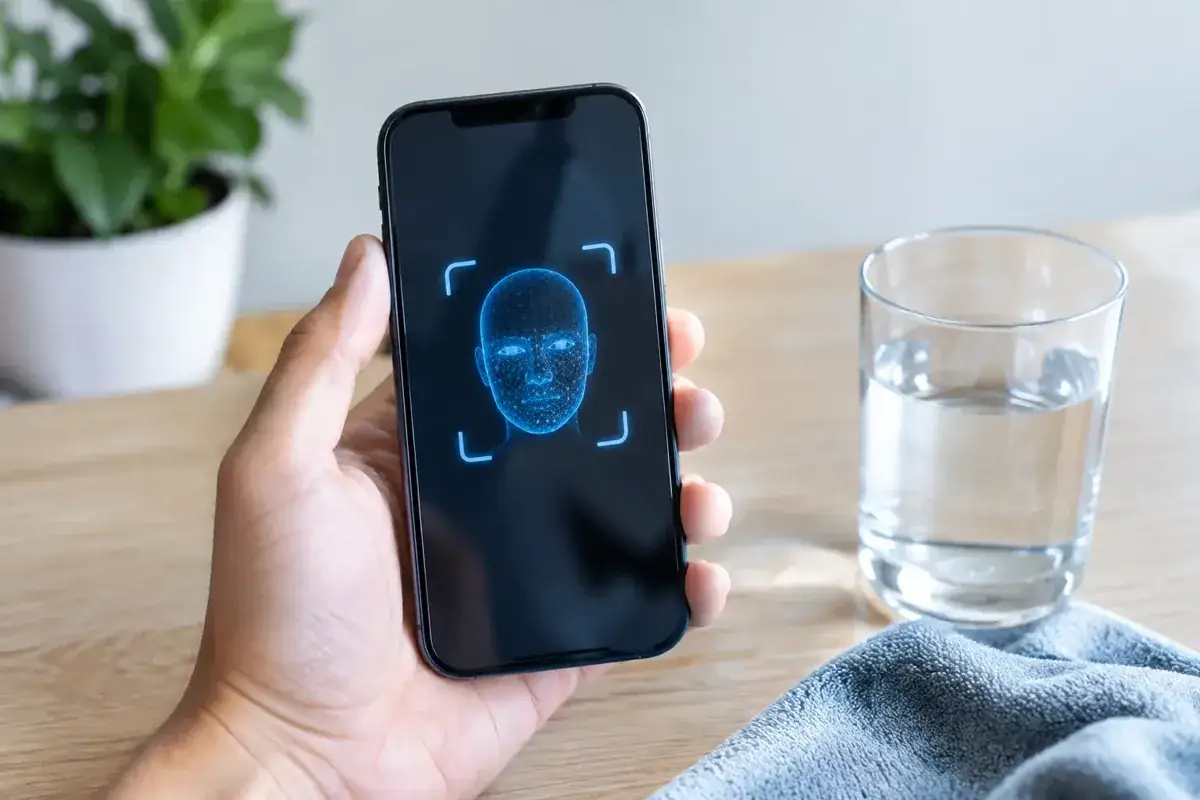
Your iPhone may still switch on, charge and even look perfectly normal after a splash, yet suddenly refuse to recognise your face. That is not.
Your iPhone may still switch on, charge and even look perfectly normal after a splash, yet suddenly refuse to recognise your face. That is not unusual. Does water damage affect Face ID? Yes, it can - and the fault can appear immediately or develop hours or days later as moisture and corrosion reach the components in the TrueDepth camera system.
For anyone relying on their iPhone for work, boarding passes, banking, maps or holiday plans on the Costa del Sol, Face ID failing after water exposure is more than an annoyance. It can be an early warning that the phone needs attention before a smaller repair turns into a full device replacement.
Why water damage can affect Face ID
Face ID is not just the front camera. It is a tightly matched collection of sensors and components in the top display area, commonly called the TrueDepth system. This includes the infrared camera, flood illuminator, dot projector, proximity sensor and associated flex cables. Together, they build and read a detailed infrared map of your face.
Water does not need to flood the entire phone to cause trouble. A drop of salt water, moisture from a wet bag, steam in a bathroom or liquid entering through a damaged screen seal can reach a connector or sensor. Once inside, moisture can interfere with the electrical signals that Face ID relies on. Salt water is especially aggressive because it leaves conductive residue behind, speeding up corrosion even after the phone appears dry.
The result may be a message saying “Face ID is not available” or “Face ID has been disabled”. In other cases, Face ID simply stops recognising you, becomes inconsistent, or fails during set-up. The selfie camera might still work, which can make the issue confusing. A working front camera does not prove that every TrueDepth component is healthy.
Water resistance is not a guarantee
Many newer iPhones are water resistant, not waterproof. Their rating is measured under controlled laboratory conditions, with fresh water, limited depth and a device in good condition. Real life is tougher: pool water, sea water, sunscreen, sand, heat and pressure can all compromise seals.
Water resistance also reduces over time. A previous screen replacement, a dented frame, worn adhesive, a cracked display or general ageing can weaken the barriers designed to keep moisture out. If your iPhone was dropped in the sea in Marbella, splashed beside a pool in Mijas or caught in heavy rain in Málaga, do not assume its original rating will protect it.
Apple’s liquid damage indicators may also be triggered even when the phone initially works. That matters because delayed corrosion is common. The device can seem fine on the day of the accident, then lose Face ID, charging or speaker performance later in the week.
The first signs of a water-damaged Face ID system
Face ID failure is not always the first symptom. Watch for a combination of smaller changes, particularly after exposure to liquid. The earpiece speaker may sound muffled, the proximity sensor may stop turning the screen off during calls, the front camera may fog, or the display may behave strangely near the notch or Dynamic Island area.
You may also notice unreliable charging, random restarts, battery drain, overheating or a warning that an accessory is not supported. These issues do not automatically mean the Face ID hardware is beyond repair, but they do make a proper inspection more urgent.
Avoid repeatedly trying to reset Face ID or forcing multiple restarts while the phone may still contain moisture. Software troubleshooting can help with a genuine software glitch, but it cannot remove corrosion or restore a damaged sensor. Constantly powering a wet phone can make an electrical short worse.
What to do immediately after your iPhone gets wet
Speed matters. The goal is to prevent liquid and residue from remaining inside the phone.
- Turn the iPhone off as soon as possible.
- Remove the charging cable, case and any external accessories.
- Wipe the outside gently with a soft, lint-free cloth.
- Keep the charging port facing down and lightly tap the phone against your hand to encourage excess liquid out.
- Leave it in a dry, ventilated place and arrange a professional diagnostic check if Face ID, charging or the screen behaves abnormally.
Do not put the iPhone in rice. Rice does not remove moisture from internal components, and dust or starch can enter the port. Do not use a hairdryer, radiator, oven, compressed air or a charging cable to test whether it has recovered. Heat can damage seals, batteries and displays, while charging a damp device creates a much greater risk of further damage.
If the phone allows it and you can do so without keeping it powered on for long, make a backup once it is fully dry enough to operate safely. Your photos, messages, authenticator apps and work files are often more valuable than the handset itself. If it is already unstable, prioritise diagnosis rather than repeatedly attempting a backup.
Can Face ID be repaired after water damage?
It depends on what the liquid has damaged. If the problem is residue or corrosion on a connector, early professional cleaning and board-level inspection may restore normal operation. If a TrueDepth component or its paired circuitry has failed, the repair becomes more specialised.
Face ID hardware is security-linked to the iPhone. It is not a simple matter of fitting any replacement front sensor assembly, as some parts are paired to the logic board. An inexperienced repair can leave you with a new screen but permanently lost Face ID. This is why a repair shop should diagnose the exact fault before promising a result.
A quality inspection should look beyond the visible damage. The technician needs to assess liquid indicators, internal connectors, the earpiece and sensor assembly, display area, charging system and logic board for signs of corrosion. The best outcome is to stop the damage early, clean affected areas correctly and test every function before the phone is returned.
There are occasions when Face ID cannot be recovered economically, especially after severe sea-water damage or extensive board corrosion. Even then, the phone may still be worth repairing for data recovery, screen function, charging or general use with a passcode. Honest advice matters more than a quick guess.
Is it water damage or a screen repair issue?
Face ID can also fail after a drop or a poor-quality screen repair, even without liquid exposure. The top sensor assembly is delicate, and damage around the earpiece area can affect it. If Face ID stopped working immediately after a screen replacement, the display fitting and transferred components should be checked.
This is one reason materials and installation quality matter. A screen can look fine at first glance but still place pressure on a flex cable, use poor alignment around the sensor area or lack the sealing needed to resist future moisture. Fast repair should not mean careless repair.
At iBrokeIt, contact the Fuengirola home workshop for an assessment and wait for appointment confirmation before travelling. Repair suitability, parts and timing are confirmed individually.
When to get professional help
Book an inspection promptly if Face ID fails after any liquid exposure, particularly if the phone was exposed to sea water, sugary drinks, coffee or pool water. These liquids leave residue that continues causing harm after the surface has dried.
You should also seek help if the device heats up, will not charge, restarts unexpectedly, has a foggy camera, shows screen marks, or gives a liquid-detection warning. Waiting may feel convenient when the phone still works, but corrosion rarely improves on its own.
A technician can tell you whether cleaning, component-level work or a broader repair is realistic, and whether your data is at risk. For residents, visitors and remote workers from Fuengirola to Marbella, acting quickly can mean keeping the iPhone you rely on rather than replacing it at the worst possible time.
Face ID is designed to make your phone effortless to use, but it is also a sensitive system. If it stops working after water exposure, treat that failure as a signal to protect the device now - before the next symptom costs you more.
Ask about a repair at the Fuengirola workshop
Discuss does water damage affect face id? what to do, see repair enquiries from Fuengirola, or contact iBrokeIt.
We work from home in Fuengirola, not a walk-in shop. Request an appointment and wait for our reply before travelling. Your appointment is not confirmed until we get back to you, and we cannot always be available. iPad and MacBook repairs are quote-only. Every fitted repair part has a one-year warranty beginning on the repair date; new accidental damage is excluded. iPhone liquid-damage cleaning starts at a €99 non-refundable deposit for cleaning only; parts and further work are quoted separately. Repair or data recovery is not guaranteed.
For your next step, see check your exact iPhone repair price.
Need this repair? Check your price
iBrokeIt.shop · Fuengirola