guide
iPhone Microphone Repair When Calls Go Quiet
6 min read
Your caller keeps saying, “I can’t hear you”, just as you need to confirm a booking, join a work call or send directions from the airport. That is.
Your caller keeps saying, “I can’t hear you”, just as you need to confirm a booking, join a work call or send directions from the airport. That is when iPhone microphone repair stops being a minor inconvenience and becomes urgent. Your iPhone is the device you use to work, travel, arrange school pick-ups, make reservations and stay connected. When its sound fails, the whole day can quickly become harder than it needs to be.
The good news is that a muffled, crackling or silent microphone does not automatically mean you need a new phone. Many microphone faults can be diagnosed quickly and repaired without leaving you without your iPhone for days.
Signs You May Need iPhone Microphone Repair
A microphone issue does not always look the same. You may be heard poorly during normal calls, while FaceTime calls sound fine. Voice notes may record almost no audio, yet videos still have sound. Or the reverse may happen: callers hear you, but your video recordings are silent or distorted.
That variation matters because iPhones use more than one microphone. There is usually a lower microphone for calls and voice recordings, a front microphone used in features such as FaceTime and speakerphone, and a rear microphone that supports video audio and noise reduction. The exact layout depends on the model, but the point is simple: one failed function does not necessarily mean every microphone has failed.
Common warning signs include people asking you to repeat yourself, voice notes that sound distant, recordings full of static, Siri struggling to understand you, and video sound that drops in and out. If the problem began after a drop, a splash, a charging-port issue or an unsuccessful repair, it deserves a proper inspection rather than guesswork.
Before Booking an iPhone Microphone Repair
A professional diagnosis is the right move when the issue persists, but a few safe checks can rule out simple causes. Remove the case temporarily, especially if it is thick, damaged or poorly fitted around the lower grille. Dirt, pocket lint, sand and make-up can block the microphone openings and make your voice sound far away.
Restart the iPhone and test it in several places: a normal phone call, Voice Memos, a front-camera video and a rear-camera video. This gives a technician useful clues about which microphone or circuit may be affected. Also check that the app you are using has microphone permission enabled in Settings. A software setting can mimic a hardware fault.
Avoid pushing pins, needles or sharp objects into the grille. It is easy to tear a protective mesh, move debris further inside or damage a component that was still working. Likewise, do not rely on repeated blasts of high-pressure air. A quick clean might help if the obstruction is superficial, but it will not repair impact damage, corrosion or a failing flex cable.
Bluetooth can also cause confusion. If your iPhone is connected to car audio, earbuds or a speaker, it may be using their microphone instead. Disconnect Bluetooth and test again before assuming the handset itself has failed.
What Causes a Microphone to Stop Working?
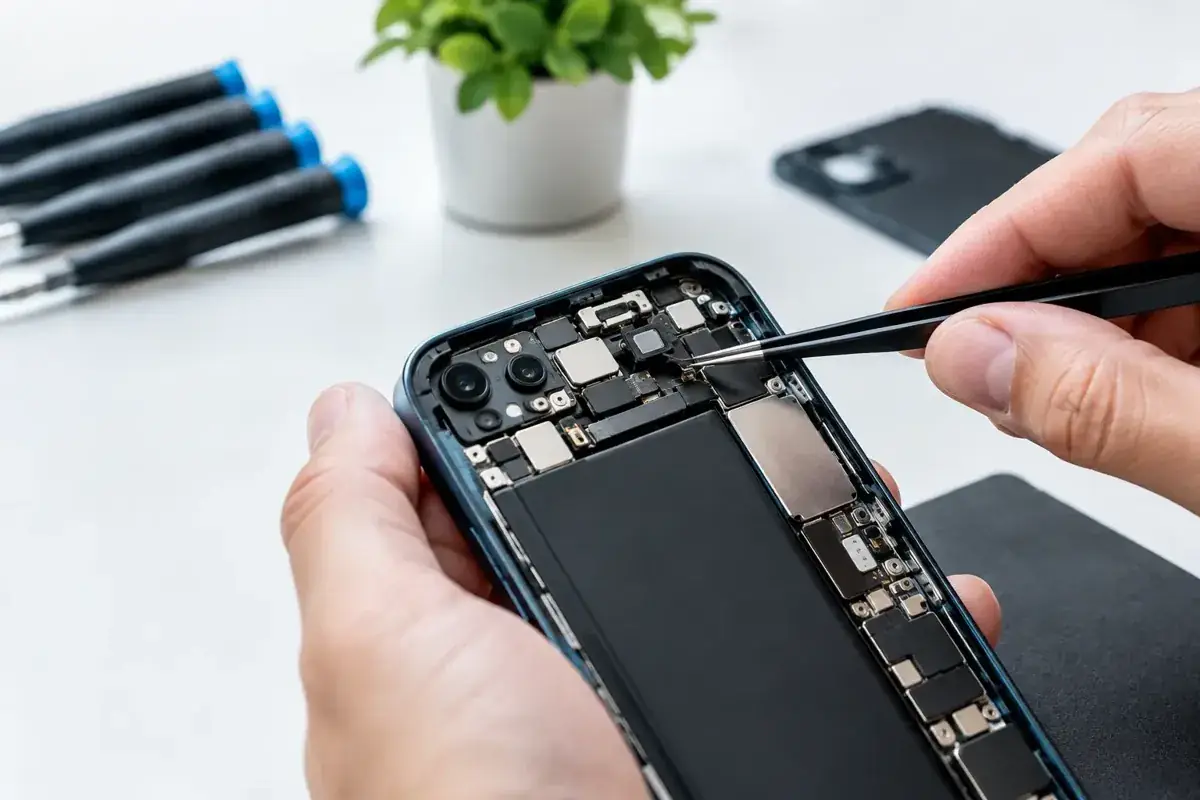
The lower microphone sits close to the charging port, where everyday debris and moisture collect. For many iPhone models, the microphone is integrated into, or closely connected with, the charging-port assembly. That means an apparent microphone fault may be linked to unreliable charging, a loose cable connection or a damaged port.
Drops can loosen a connector or damage internal components even when the screen has no visible crack. Water exposure is another major cause, particularly around the Costa del Sol where pool days, beach sand and sudden spills are part of everyday life. Water resistance is not a permanent guarantee. Ageing seals, previous repairs and impact damage can all reduce that protection.
There is also a software side to consider. A failed update, corrupted settings or an app-level conflict can affect sound capture. This is why replacing a part without testing first is not good repair practice. The fastest repair is the one that identifies the real fault before any work begins.
The Right Repair Depends on the Fault
A blocked grille may only need a careful clean. A damaged charging-port assembly may require a replacement part. If the front or rear microphone is affected, the repair route can be different again. In more complex cases, liquid corrosion or board-level damage may be responsible, which needs a deeper assessment before anyone can honestly promise a turnaround time.
That is the trade-off worth understanding: a cheap, instant fix is attractive, but only if it addresses the actual problem. Replacing the wrong component wastes time and money. A proper test should check call audio, speakerphone, voice recording, video recording, Siri response and charging behaviour where relevant.
At iBrokeit, the focus is on a clear diagnosis first, then a repair plan that makes sense for your model and fault. Straightforward microphone and charging-port repairs can often be completed in 15 to 30 minutes, subject to the device, the damage and parts availability. More serious liquid or internal faults may take longer, but you should know why before any repair goes ahead.
Why Fast Local Repair Makes a Difference
Sending an iPhone away can mean days without your primary camera, maps, banking access, work authentication and contacts. For residents, holidaymakers and remote workers across Fuengirola, Marbella, Mijas, Benalmádena and Málaga, that delay can be more expensive than the repair itself.
A local repair service gives you the chance to explain exactly what happened, test the phone in person and get a realistic answer quickly. If the issue is simply dirt or a setting, you should not be pushed into a replacement. If a component has failed, you should be told what is being replaced and what result to expect.
Quality matters here. Poorly fitted parts and rushed internal work can create new problems with charging, signal, speaker performance or water resistance. Experienced repair means treating the microphone as part of a wider system, not as an isolated hole at the bottom of the phone.
Can You Keep Using the iPhone While You Wait?
Usually, yes, but it depends on the symptoms. You can use wired or Bluetooth headphones with a built-in microphone as a short-term workaround for calls. Messaging apps also allow you to type rather than send voice notes. However, do not ignore a fault that appeared after water exposure. Continued charging can increase the risk of corrosion and turn a smaller repair into a more costly one.
Back up your iPhone if it is working well enough to do so, particularly after a drop or liquid incident. A microphone problem may remain isolated, but impact and moisture damage can develop over time. Protecting your data is always sensible before any hardware work.
What to Expect From a Professional Check
A useful diagnostic should be practical, not vague. The technician should test the affected audio functions, inspect the microphone and charging areas, consider recent drops or liquid contact, and explain whether the cause appears to be blockage, software, a replaceable component or a more involved internal issue.
Ask about the warranty provided for the repair and whether the device will be tested before collection. diagnostic assessment and a clear warranty remove the uncertainty that often comes with urgent repairs. You are not just paying to make a caller hear you once. You are paying for a repair that should keep performing when you need it.
If your calls have become a cycle of “Can you hear me now?”, do not let a small audio fault disrupt work, travel or family plans. Get the iPhone checked while the issue is clear, and you could be back to crisp calls and confident voice notes far sooner than expected.
Ask about a repair at the Fuengirola workshop
Discuss iphone microphone repair when calls go quiet, see repair enquiries from Fuengirola, or contact iBrokeIt.
We work from home in Fuengirola, not a walk-in shop. Request an appointment and wait for our reply before travelling. Your appointment is not confirmed until we get back to you, and we cannot always be available. iPad and MacBook repairs are quote-only. Every fitted repair part has a one-year warranty beginning on the repair date; new accidental damage is excluded. iPhone liquid-damage cleaning starts at a €99 non-refundable deposit for cleaning only; parts and further work are quoted separately. Repair or data recovery is not guaranteed.
For your next step, see check your exact iPhone repair price.
Need this repair? Check your price
iBrokeIt.shop · Fuengirola