guide
MacBook Repair That Gets You Back to Work
6 min read
A MacBook that will not charge, starts flashing across the screen, or dies halfway through a client call is not a minor inconvenience. It stops work,.
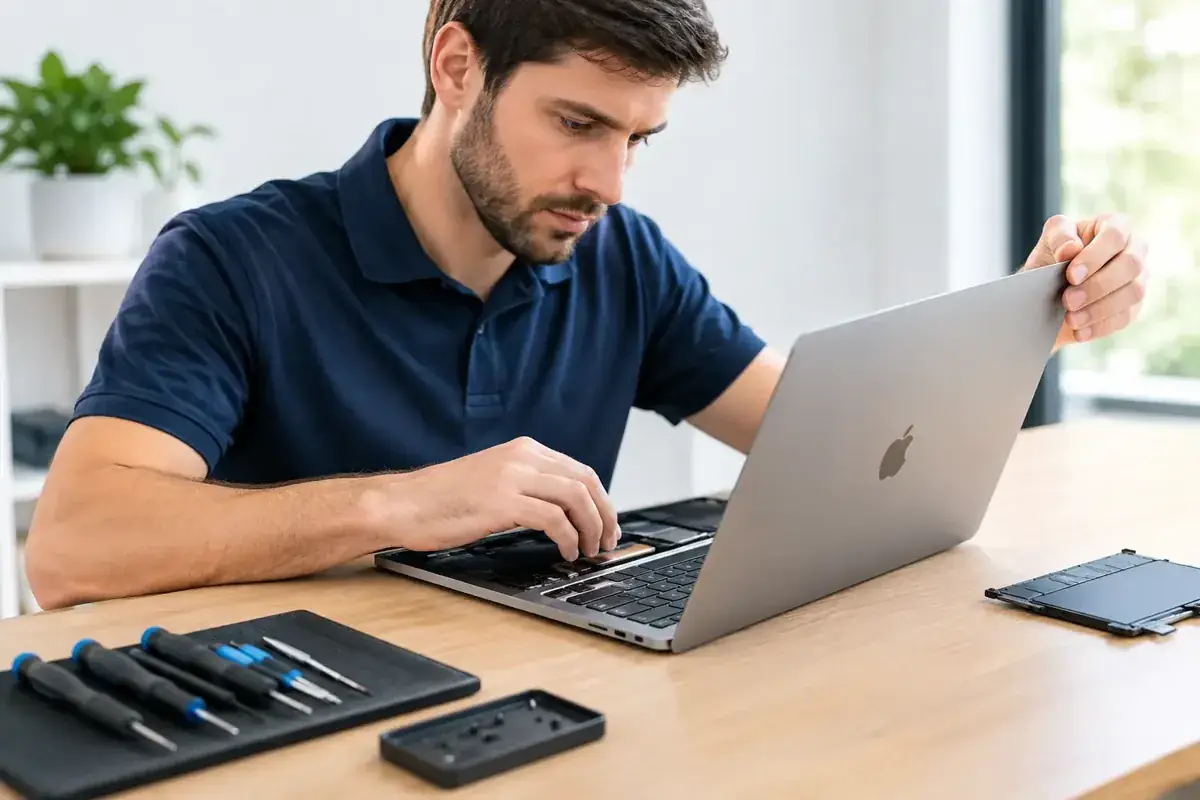
A MacBook that will not charge, starts flashing across the screen, or dies halfway through a client call is not a minor inconvenience. It stops work, travel plans, bookings and daily life. Fast MacBook repair is about more than replacing a part: it is about identifying the real fault quickly, protecting the files you cannot afford to lose and getting your machine back where it belongs - in use.
For MacBook owners across the Costa del Sol, the right decision is rarely to panic-buy a replacement. Many faults that look terminal are repairable, often for far less than the cost of a new laptop. The key is acting early and choosing a technician who diagnoses the whole device rather than guessing at the most obvious symptom.
When a MacBook repair is the smarter move
A cracked display, worn battery or loose charging connection can make a perfectly capable MacBook feel obsolete. That does not mean it is. If the processor, storage and main board remain in good condition, a targeted repair can give the laptop years of useful life.
Battery issues are a common example. A MacBook that drops from 40% to zero, gets unusually hot, shuts down without warning or needs permanent connection to the charger may need a battery replacement. Leaving a failing battery unchecked is a poor gamble. Performance can be restricted, the case can begin to lift, and swelling can put pressure on other internal components.
Screen damage also deserves prompt attention. A thin line, dark patch or flickering image may begin as a small impact point, but pressure and continued opening and closing can make the damage spread. On modern MacBooks, the display is a precision assembly, so a proper replacement matters for brightness, colour and reliable operation.
There is a financial argument too. Replacing a laptop every time a battery or screen fails is expensive and wasteful. Repairing a device you already know, with your files and software set up as you need them, is usually the faster route back to normal.
The MacBook faults that need immediate attention
Some problems can wait until the end of the day. Others should be checked before they become a much larger bill. Liquid damage is the clearest example. Coffee, water, wine and even humid coastal conditions can create corrosion inside a MacBook. The machine may appear fine at first, then fail days later as residue affects connectors, power circuits or the logic board.
If liquid reaches your MacBook, switch it off immediately, disconnect the charger and do not keep pressing the power button to see whether it still works. Do not use a hairdryer, place it on a radiator or rely on rice. Heat can damage sensitive parts, while rice does nothing to remove residue from the board. A fast internal inspection and professional cleaning gives the device its best chance.
Charging faults also need a proper diagnosis. The problem could be the cable or power adaptor, but it could equally be debris or wear in the USB-C ports, a damaged charging circuit, a failing battery or an issue on the main board. Buying accessories at random may only delay the answer.
A MacBook that will not turn on can be equally misleading. It may be a display issue rather than a no-power issue. It could be a battery, keyboard, trackpad, charging circuit or board-level fault. This is why diagnostic assessment are valuable: they replace expensive guesswork with a clear repair plan.
What to do before booking a repair
If the MacBook still starts, back up your important files straight away. Use your preferred backup method and check that essential work folders, photographs, accounts and documents are included. A repair technician should always treat your data with care, but a current backup gives you control if the storage is already failing.
Next, note exactly what happened before the fault began. Did the machine fall? Was there a spill? Did charging become intermittent after using a particular cable? Did the screen fail after an update? These details can cut diagnostic time and help separate a software fault from physical damage.
Bring the charger if the issue involves power. It helps test the complete charging setup, not just the MacBook. If you use a work profile, know your login password and any FileVault recovery details. You should never share account passwords casually, but access information may be necessary if you want a software issue investigated after agreeing how your data will be handled.
Why fast service should not mean rushed work
Speed matters when you are running a business from a café in Marbella, managing holiday bookings in Fuengirola, or working remotely from home in Mijas. However, a rapid turnaround only has value if the repair is done properly.
The best repair route depends on the fault and the model. Straightforward jobs can often be completed quickly, while liquid recovery and board-level faults need deeper assessment. Anyone promising the same time for every MacBook problem is oversimplifying the job. A reliable technician will explain what can be completed promptly, what requires further testing and what the likely cost is before work begins.
At iBrokeIt, contact the Fuengirola home workshop for an assessment and wait for appointment confirmation before travelling. Repair suitability, parts and timing are confirmed individually.
Repair, upgrade or replace: make the decision with facts
Not every MacBook should be repaired at any cost. If a very old model has severe liquid damage, multiple failing components and limited software support, replacement may be the more sensible long-term choice. A good repair business should say so plainly.
But age alone is not a reason to write a MacBook off. Many machines feel slow because their storage is nearly full, the operating system needs attention, startup items are excessive or the battery is worn. Software clean-up, storage upgrades on compatible models and hardware checks can change the experience dramatically.
Think about what you need from the laptop over the next two to three years. For email, browsing, invoicing, video calls and general business administration, a repaired MacBook may be more than enough. For demanding video editing, design work or software that requires newer hardware, it may be worth comparing repair costs with an upgrade. The right answer is the one that protects your budget without slowing down your work.
Protect your MacBook after the repair
Once the immediate problem is fixed, a few habits can prevent another urgent call. Keep liquids away from the keyboard, use a quality protective sleeve when travelling and avoid leaving the laptop in direct sun or a hot car. Heat is hard on batteries and displays, especially during a Costa del Sol summer.
Use a charger and cable in good condition, and do not force connections into the ports. If the machine starts running unusually hot, charging inconsistently or showing new screen marks, arrange an inspection early. Small symptoms are usually cheaper to resolve than a full failure.
Most importantly, keep backups current. A repaired MacBook is valuable, but your work, memories and customer information are often worth far more than the device itself. If your MacBook is interrupting your day, get a diagnosis while the problem is still a repair rather than a replacement decision.
Ask about a repair at the Fuengirola workshop
Discuss macbook repair that gets you back to work, see repair enquiries from Fuengirola, or contact iBrokeIt.
We work from home in Fuengirola, not a walk-in shop. Request an appointment and wait for our reply before travelling. Your appointment is not confirmed until we get back to you, and we cannot always be available. iPad and MacBook repairs are quote-only. Every fitted repair part has a one-year warranty beginning on the repair date; new accidental damage is excluded. iPhone liquid-damage cleaning starts at a €99 non-refundable deposit for cleaning only; parts and further work are quoted separately. Repair or data recovery is not guaranteed.
Need this repair? Check your price
iBrokeIt.shop · Fuengirola